A workbook you can use immediately
Rows and columns land in a standard Excel sheet, ready for filters, formulas, charts, or sharing.
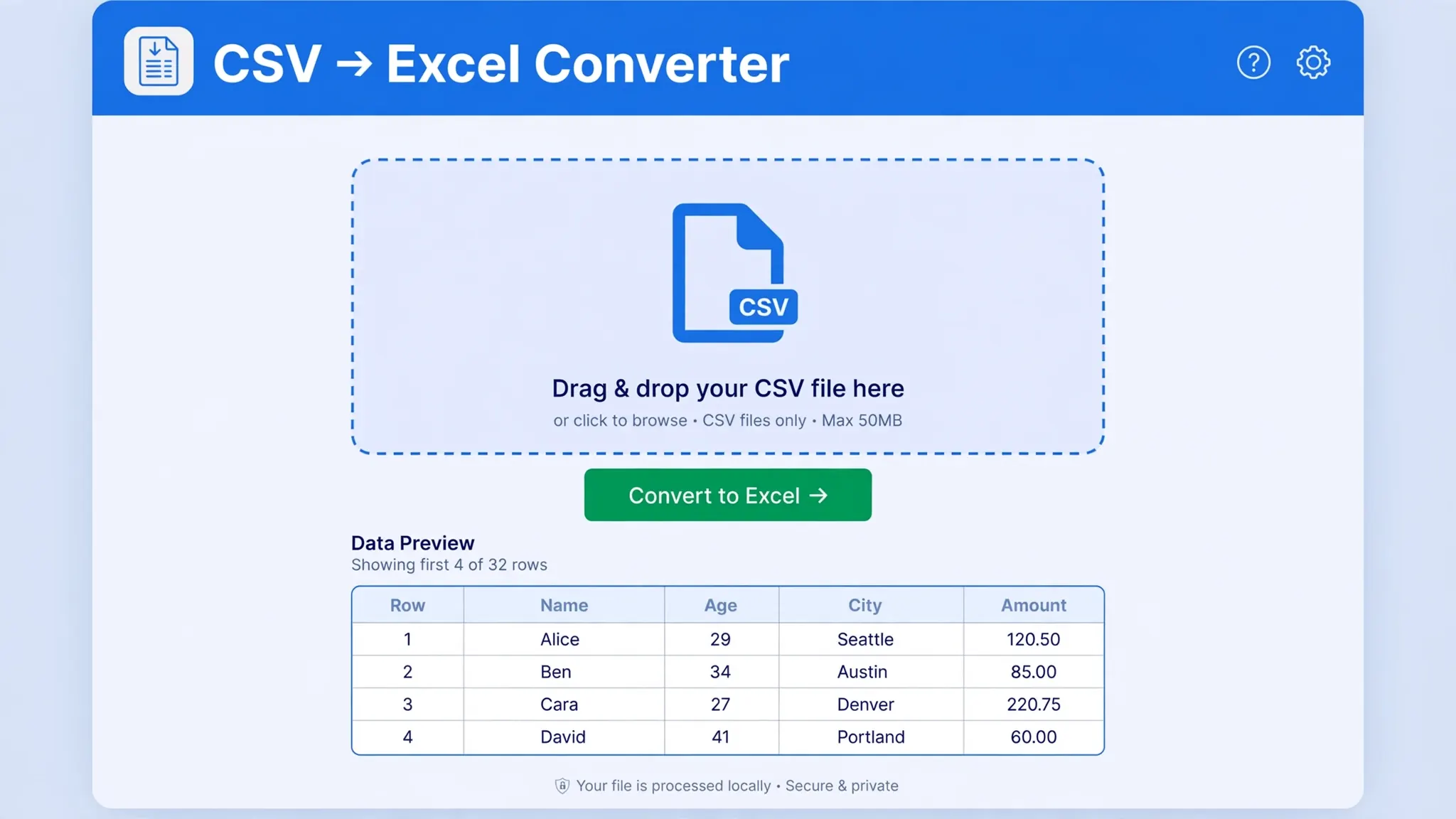
Drop in your CSV, let the converter detect the delimiter, preview the rows, and download a polished .xlsx workbook in seconds.
or choose a .csv / .txt file up to 25 MB
Choose fileFrom clean exports to awkward legacy data, the converter handles common CSV structures without adding extra steps.
Rows and columns land in a standard Excel sheet, ready for filters, formulas, charts, or sharing.
Comma, semicolon, tab, and pipe-separated files are recognized automatically.
The file is processed locally in this tab. It is not uploaded to our servers.
Check the first rows and confirm the columns before creating your workbook.
No setup wizard. Convert and download a standard .xlsx file directly.
The workflow stays short enough for one-off conversions and dependable enough for daily exports.
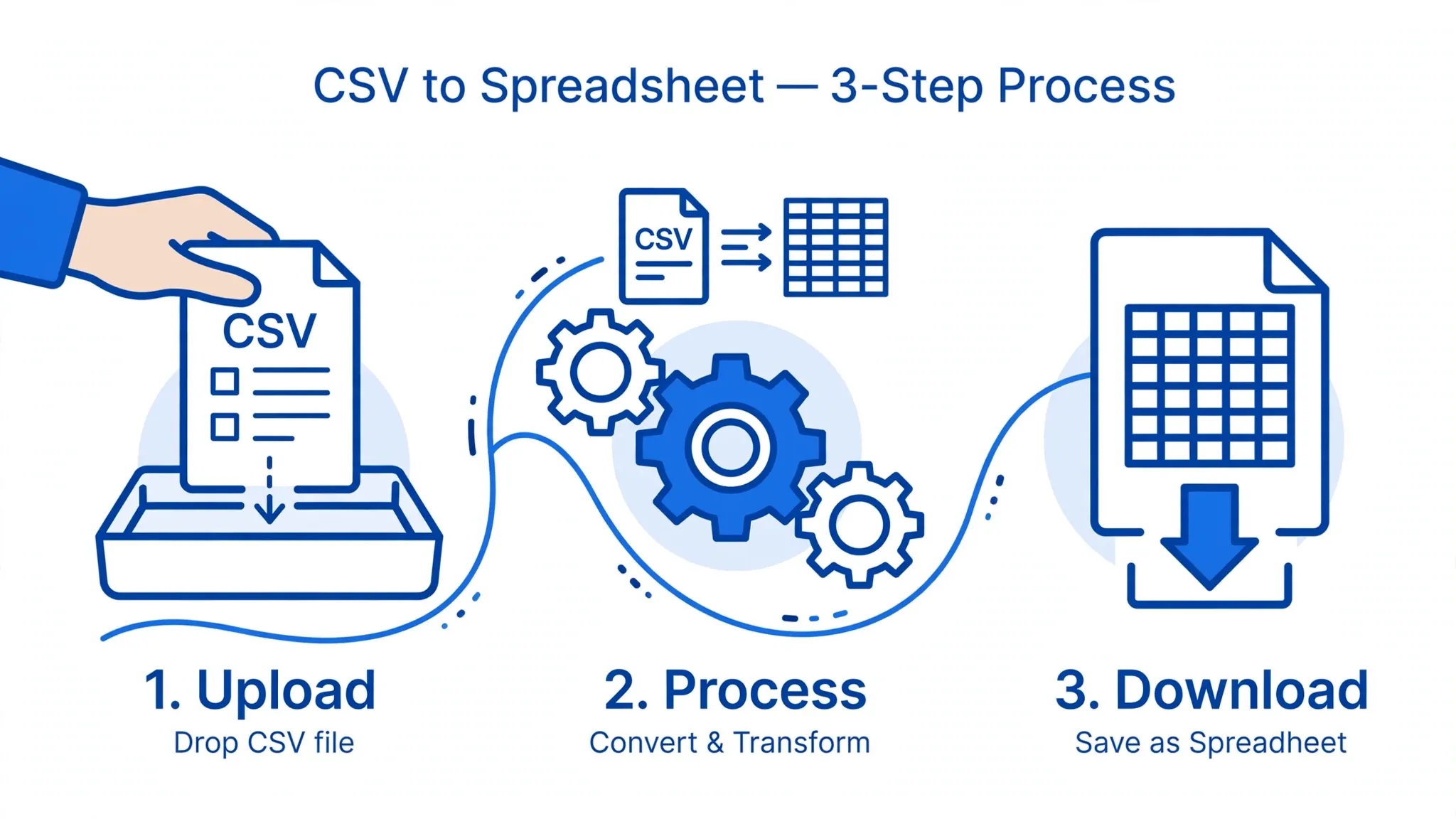
Drag it onto the converter or choose it from your device.
Review the detected delimiter, rows, and columns before export.
Download the converted .xlsx file and open it in Excel.
If you work with data — sales reports, bank statements, mailing lists, analytics exports — you have almost certainly run into the CSV file. It is the universal language of tabular data: every database, every analytics platform, and nearly every business app can export a CSV. But when it is time to actually work with that data — sort it, filter it, build a pivot table, make a chart — you want it in Excel. That is exactly what this guide (and the free converter above) is for.
Converting CSV to Excel sounds like it should be trivial, and most of the time it is. But anyone who has done it regularly knows the traps: a file that opens with everything crammed into a single column, zip codes that lose their leading zeros, dates that flip from March 4th to April 3rd, or special characters that turn into gibberish. This guide walks you through what CSV and Excel files really are, why you would convert between them, every reliable method for doing it, and how to dodge each of those classic problems.
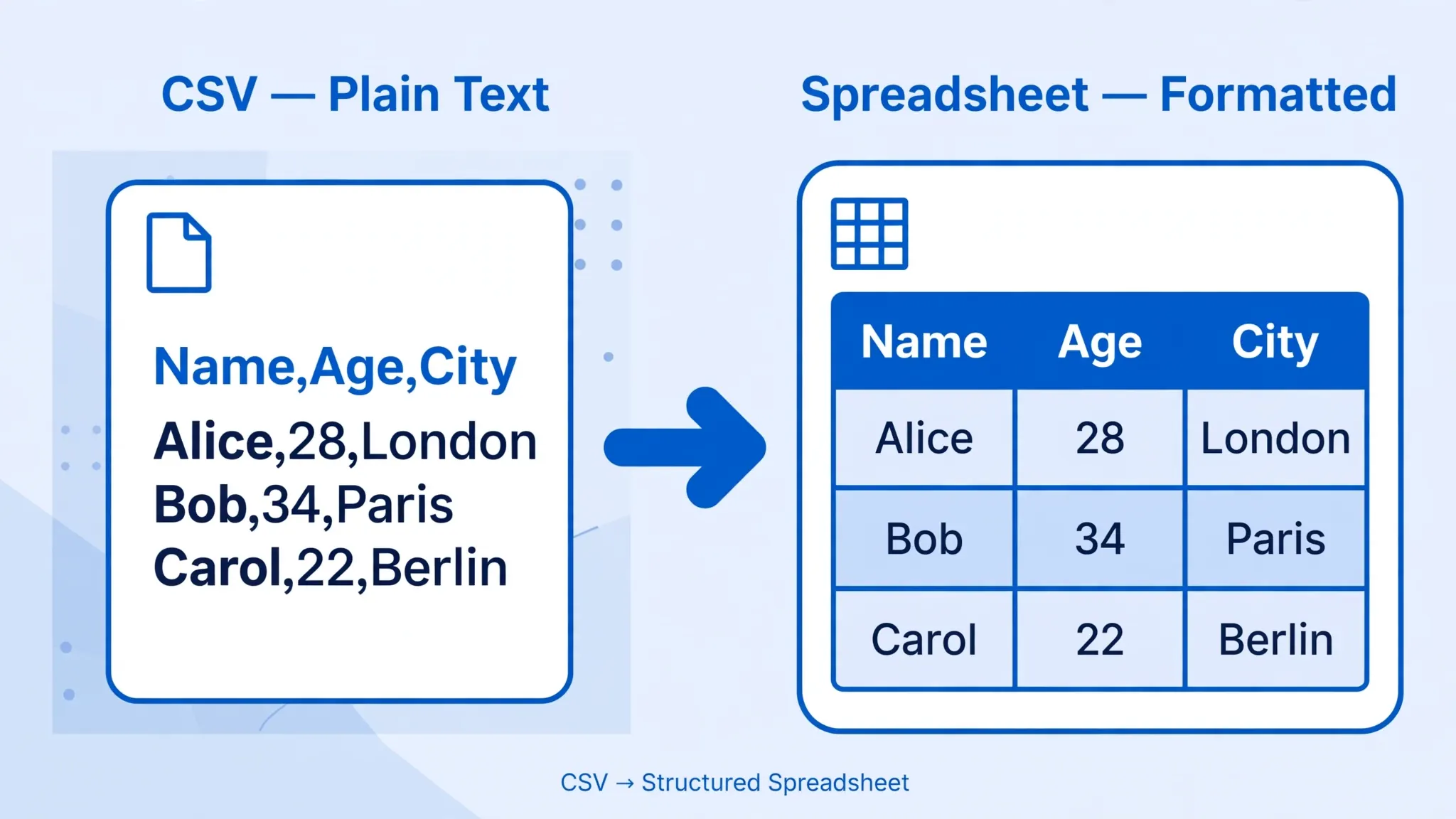
CSV stands for Comma-Separated Values. It is about as simple as a data format gets: a plain text file where each line is a row of data and values within the row are separated by a delimiter — usually a comma. The first row often contains column headers. Here is a tiny example:
name,email,country
Priya Sharma,priya@example.com,India
John Miller,john@example.com,United States
Emma Wilson,emma@example.com,United Kingdom
Because CSV files are just text, virtually everything can read and write them: Excel, Google Sheets, Apple Numbers, LibreOffice, Python, R, SQL databases, and every analytics tool from Google Analytics exports to Shopify reports. They are lightweight, human-readable, and never tied to one vendor. That universality is why CSV became the default export format of the internet.
But simplicity has a price. A CSV file stores no formatting, no formulas, no multiple sheets, and no data-type information. Everything is text until some program decides otherwise — which is precisely where Excel's famous guessing problems (vanishing leading zeros, mangled dates) come from. Fields that contain commas, quotes, or line breaks must be wrapped in quotes under the format's informal rules (RFC 4180), and different regions use different delimiters — more on that below.
An Excel workbook with the .xlsx extension is a very different animal. Introduced with Office 2007, XLSX is actually a ZIP archive containing XML documents that describe worksheets, styles, formulas, charts, and metadata. (The older .xls format used a proprietary binary structure and capped out at 65,536 rows; XLSX supports 1,048,576 rows and 16,384 columns per sheet.)
Because it is a structured format, an XLSX file can store cell formatting, number formats, formulas that recalculate, multiple worksheets, pivot tables, charts, data validation, and even macros (in the .xlsm variant). When you convert a CSV to Excel, you are essentially pouring simple text data into this much richer container — which is why the result is so much nicer to work with.
| Feature | CSV | Excel (XLSX) |
|---|---|---|
| Format | Plain text | Zipped XML package |
| Formatting | None | Fonts, colors, borders, styles |
| Formulas | Values only | Full formula support |
| Sheets | One table per file | Multiple worksheets |
| Max rows | Unlimited (text) | 1,048,576 per sheet |
| File size | Small | Larger (compressed) |
| Compatibility | Universal | Needs Excel or compatible app |
The takeaway: use CSV for moving data between systems, and Excel for working with data as a human. Converting is the bridge between those two jobs.
1. Real formatting. In Excel you can bold headers, freeze panes, apply currency and date formats, and use conditional formatting to highlight what matters. None of that exists in a CSV.
2. Formulas that calculate. A CSV can hold the result of a calculation, but never the formula itself. Convert to Excel and you can add SUM, VLOOKUP/XLOOKUP, IF statements, and pivot tables that update as data changes.
3. Multiple sheets in one file. Twelve monthly CSV exports become one workbook with twelve tabs — or, with our converter, several CSVs dropped in together become a multi-sheet workbook automatically.
4. Sorting, filtering, and pivot tables. Excel's AutoFilter and pivot tables turn a flat export into an interactive report in a couple of clicks. Try doing that comfortably in a text file.
5. Charts and visualization. Select your converted data, press Alt+F1, and you have a chart. Management-ready visuals start with a proper workbook.
6. Data validation and error-catching. Dropdown lists, input rules, and duplicate highlighting help you clean messy exports — a lifesaver when a supplier sends you a 50,000-row product feed.
7. Sharing with non-technical people. Send a CSV to a colleague and half of them will open it in Notepad and panic. Send an XLSX and everyone knows what to do with it. Whether your team sits in New York, London, Toronto, Sydney, or Mumbai, Excel is the common language of business data.
Our tool is the fastest route, but it helps to know the alternatives — especially when you are already inside Excel.
Method 1: Excel's "Save As" (quick but risky). Double-click the CSV to open it in Excel, then File → Save As → Excel Workbook (*.xlsx). This works, but opening a CSV by double-clicking lets Excel guess every column's data type — the classic way to lose leading zeros and mangle dates. Fine for a quick look; not for important data.
Method 2: Import with the Text Import Wizard / Power Query (recommended inside Excel). In modern Excel go to Data → From Text/CSV, select your file, and use the preview dialog to set the delimiter, encoding, and column data types before loading. This is the professional way: you control exactly how each column is interpreted. In older versions (Excel 2016 and earlier), the legacy Text Import Wizard does the same job.
Method 3: Google Sheets. Upload the CSV to Google Drive, open with Google Sheets, then File → Download → Microsoft Excel (.xlsx). Handy on a Chromebook or a computer without Excel installed.
Method 4: Python (for automation). If you convert the same exports every week, a tiny script pays for itself:
import pandas as pd
df = pd.read_csv("sales.csv", encoding="utf-8")
df.to_excel("sales.xlsx", index=False)
Method 5: Copy and paste. For tiny files, open the CSV in any text editor, copy the contents, and paste into Excel — then use Data → Text to Columns if needed. Quick and dirty, but fine for a dozen rows.

Problem 1: Everything lands in one column. This is the number-one complaint, and it almost always means a delimiter mismatch. Much of continental Europe, for example, uses semicolons because the comma serves as the decimal separator there — so a German or French export that Excel expects to be comma-separated will not split. The fix: do not double-click the file. Import it via Data → From Text/CSV and explicitly choose the delimiter in the preview. Our converter above detects commas, semicolons, tabs, and pipes automatically.
Problem 2: Garbled special characters (mojibake). Names like "José", "Müller", or "São Paulo" turn into "José" when a file saved as UTF-8 is opened as ANSI/Windows-1252, or vice versa. The reliable fix is to make sure the file is saved with UTF-8 encoding with a BOM (byte order mark) — that little invisible marker tells Excel "this is UTF-8". When importing, set File Origin to "65001: Unicode (UTF-8)" in the import dialog. Our tool reads files as UTF-8 and strips/handles the BOM correctly.

Problem 3: Leading zeros disappear. ZIP codes like 02139, product codes like 00123, and phone numbers with leading zeros get converted to plain numbers (2139, 123) because Excel guesses the column is numeric. Prevention beats cure: import the file and set that column's data type to Text in the import dialog. If the damage is already done, the original zeros are gone — you will need to re-import from the source CSV. A quick emergency trick for small files: format the column as Text before pasting values, or prefix values with an apostrophe (') which forces text treatment.
Problem 4: Dates flip around. Is 03/04/2026 March 4th or April 3rd? It depends on your system locale — US (M/D/Y) versus UK, India, Canada, and Australia (D/M/Y). During import, set the date column's format explicitly (e.g., DMY) instead of letting Excel guess. After import, you can standardize with Format Cells → Date and pick one unambiguous format like YYYY-MM-DD.

Problem 5: The file is too large. Excel worksheets hold a maximum of 1,048,576 rows. If your CSV is bigger, Excel will silently truncate it — dangerous. Options: split the CSV into chunks (by row count or by a column value like month), use Power Query to summarize without loading everything, or process it in Python/pandas and export summaries. Our blog has a full guide to converting large CSV files to Excel.
Problem 6: Numbers turn into scientific notation. Long IDs (credit card numbers, IMEIs) become 4.12E+15, and Excel permanently keeps only 15 significant digits. Again, the answer is importing the column as Text. Never let Excel auto-detect a column of 16-digit identifiers.
Yes — completely free, with no signup, no watermarks, and no daily conversion limits for normal use. We keep it free and simple by doing all the work in your browser instead of on expensive servers.
No. The conversion runs 100% locally in your browser using JavaScript. Your files never leave your device, which makes the tool safe for sensitive data like financial records or customer lists.
Commas, semicolons, tabs, and pipe characters are auto-detected, so files from any region — including European semicolon-separated exports — convert correctly without manual settings.
Yes. Add several files and each one becomes its own worksheet inside a single downloaded XLSX workbook. You can set the base sheet name before converting.
Files are read as UTF-8 with BOM handling, so accented Latin characters, Hindi, Arabic, Chinese, and other scripts convert correctly in the vast majority of cases.
That is a delimiter mismatch — Excel expected commas but your file uses semicolons, tabs, or pipes. Import via Data → From Text/CSV and pick the right delimiter, or just use the converter above, which detects it automatically.
Import the CSV and set the affected column's data type to Text before loading. Our detailed guide on keeping leading zeros in Excel walks through every method.
There is no server-side limit since nothing is uploaded — your device's memory is the only constraint. Note Excel itself caps each sheet at 1,048,576 rows, so larger files should be split first.
Whether you are cleaning up a bank export in London, preparing a sales report in New York, wrangling survey data in Toronto, or formatting supplier lists in Sydney or Mumbai, the workflow is the same: drop in your CSV, check the preview, and download a proper Excel workbook. No installs, no accounts, no uploads. Scroll back up and try it — your first conversion is about ten seconds away.
Want to go deeper? Our blog covers everything from fixing delimiter problems and solving encoding issues to automating conversions with Python — each guide written to solve one specific problem completely.
Stuck on a tricky file? Ask the community on Reddit, where fellow spreadsheet users trade fixes and workflows.
Every direction, same private in-browser engine.
These are clearly marked preview lines until real, verified customer reviews are available.
“The preview made it obvious that the columns were right before I downloaded anything.”Operations lead · example copy
“No account, no confusing options—just the file I needed.”Analyst · example copy
“It handled a semicolon-separated export without extra cleanup.”Store manager · example copy
Use the converter above, check the preview, and download a clean workbook.